Hide-o-Glyph (enkoji)
Secure Emoji Cryptography Engine with the hide-o-glyph algorithm
- 🗣️Preserve Free Speech: Share opinions safely in a "secret language" without censorship or persecution.
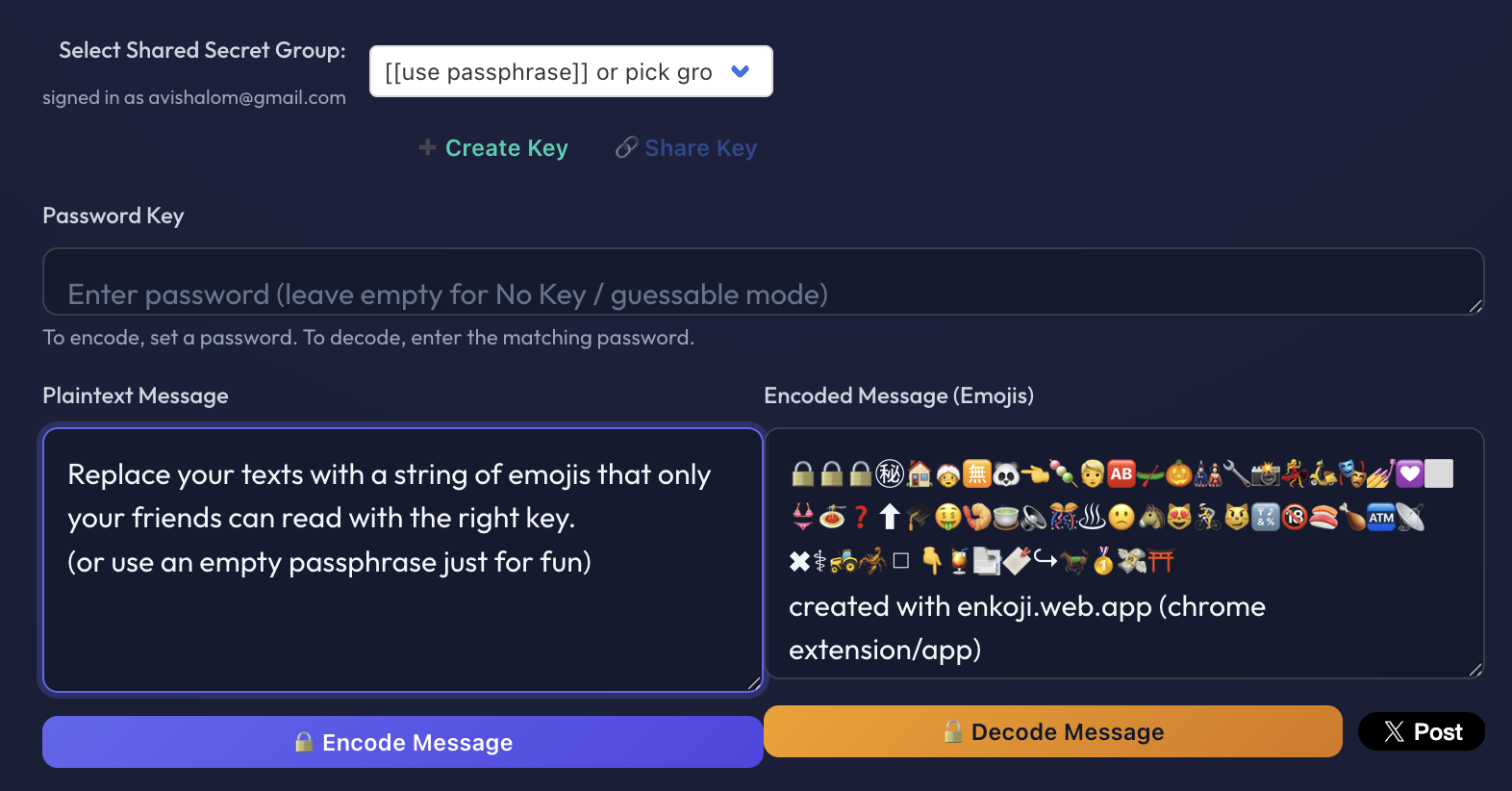
- 🔑Passphrases & Shared Secret Groups: Share a passphrase, or sign in to create group secrets.
- 🚫Block Big Tech: Prevent platforms from training AI on your messages or targeting you with ads.
- 🌐Works Everywhere: Translate inline or copy-paste across Facebook, X (Twitter), Slack, or email.
- ⏳(Coming Soon) Expiring shared-secret group membership: by time or number of retrievals.
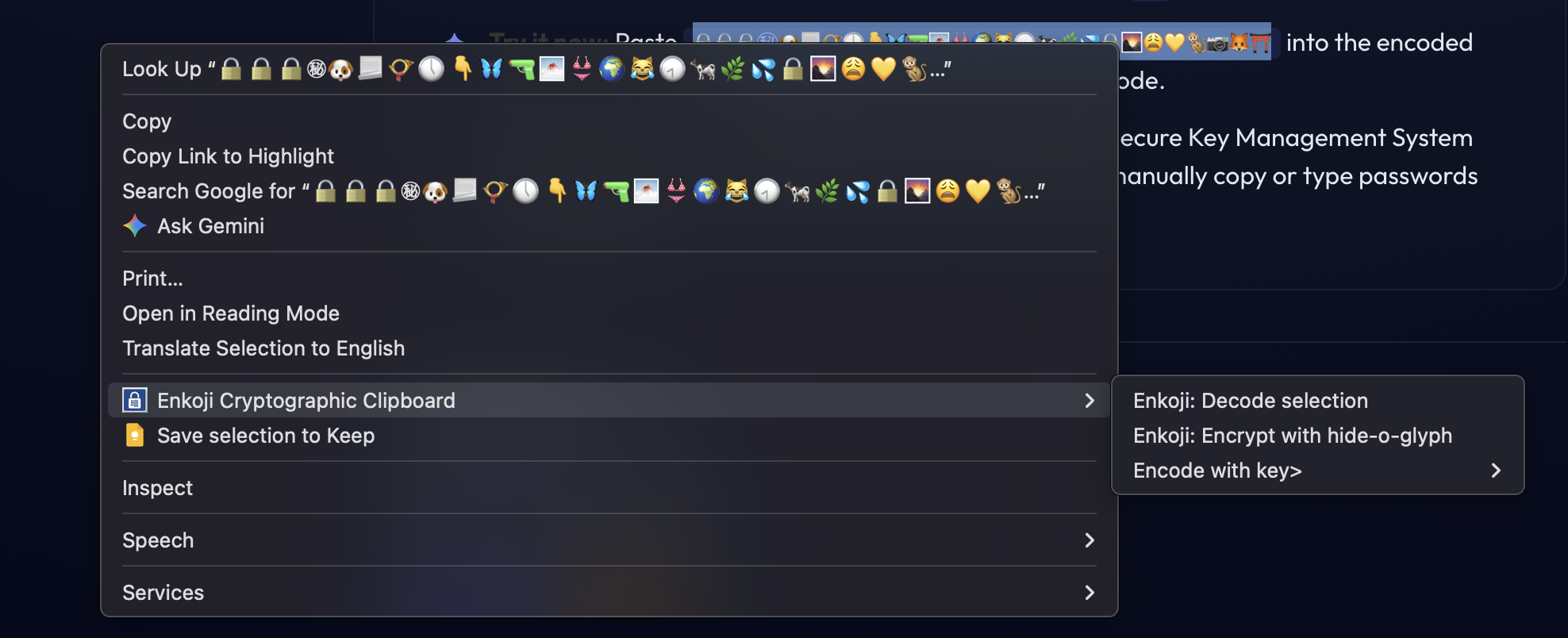
- 👉 Try it now: Paste ➡️🔒🫠🔒㊙🏋🎢👊🙋🤚🛅🛏🕌⌚🈸Ⓜ💋◀💖🕜⛷🎶😿👴🍅😈↙🎟🔇👱🚨📶📅⛩️🫶⛩️⬅️ into the encoded message box, leave the passphrase empty, and click decode.
Sign in:
To encode, set a passphrase. To decode, enter the matching passphrase.
Privacy mode: local encode/decode, passphrase only.
Shared secret groups use secure server KMS.
Mobile Client
Android App v1.0.7
Translate messages in-place using Android system-wide text selection context menus, or use the standalone mobile translator app. Fully compatible with passphrases and Supabase KMS shared secret groups.
Get Android App on Google PlayWant to join the Android alpha rollout? Ask to join the Enkoji Google Group.
No Sign-In
Enkoji Bookmarklet
Drag the bookmarklet to your bookmarks bar for passphrase-only privacy mode. It runs locally on the page and can copy selected plaintext or encoded emoji text into the tool, then replace the original selection after encode or decode.
For shared secret groups, use the browser extension or the web app above.
New Release
Ekoji Browser Extension v0.4.0
Extension Advantage: The browser extension provides secure Key Management System (KMS) integration using Supabase, so you don't need to manually copy or type passwords when logged in. It also lets you select text and right click to encode or decode.
Extension Installation:
Download the extension directly from the Chrome Web Store or the Firefox Add-ons Store.
Screenshots (Click to expand):
Web Interface Preview:
Browser Extension Context Menu: